Go back to list of posts
Best Digital Business Cards in 2026 (Reviewed)
Last modified: May 12, 2026


Networking sounds simple — until you try to actually follow up. You meet someone, exchange details, and later realize the contact is lost, incomplete, or never saved. Paper cards get misplaced. Screenshots disappear. “I’ll message you later” rarely happens.
That’s why digital business cards exist: to make sharing and saving contact details fast and reliable.
But searching for the “best digital business card” creates more confusion than clarity. Most guides rely on opinions instead of real testing.
So we downloaded KADO, Popl, Blinq, HiHello, Wave, and Mobilo, created cards on each, and tested them stage by stage. This guide shows you how to decide what actually fits your needs.
What Makes a Digital Business Card "Best" in 2026
In 2026, digital business cards are no longer just about sharing contact info — almost every tool can do that. What separates them is what happens before the share, during the exchange, and after the contact is saved.
A card can look great and still fail in real life: slow setup, limited sharing, weak contact data, or no follow-up tools. That’s why “best” isn’t about reviews or popularity.
For us, it’s about whether the tool supports the full networking flow — from first interaction to next action.
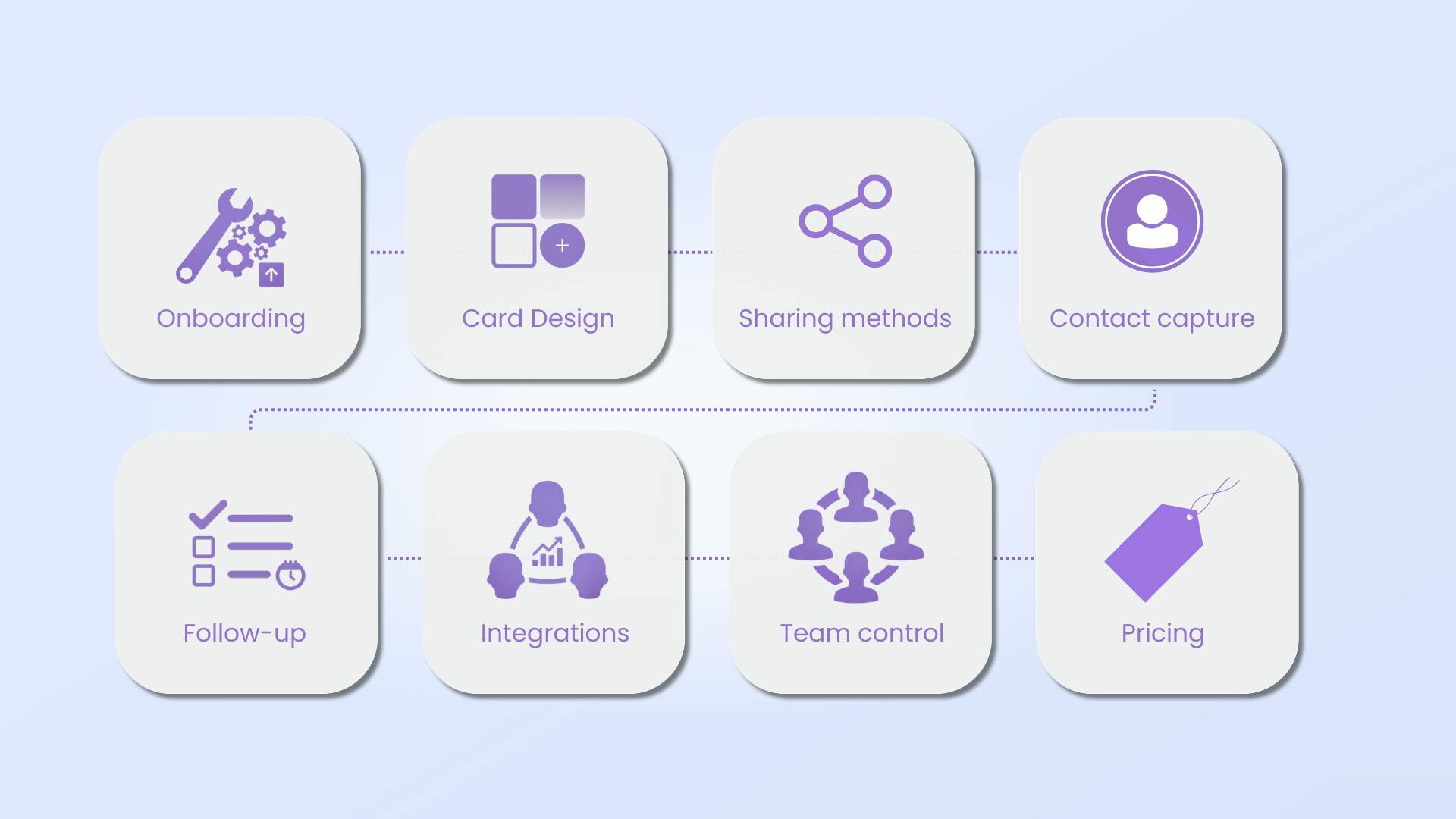
To evaluate that properly, we focus on the criteria that actually impact results:
| Evaluation Criteria | Details |
|---|---|
Onboarding & Usability | How fast you can create a usable card and app ease of use |
Card design | Control over branding, layout, and multiple cards |
Sharing methods | QR, links, Socials, NFC, wallet support, reliability |
Contact capture | One-way vs two-way exchange, speed, friction |
Contact management | Notes, tags |
Follow-up & activation | Reminders, tasks and next steps |
Integrations (when needed) | CRM or workflow connections |
Team controls | Admin visibility, brand consistency |
Enterprise requirements | Privacy, security, and compliance (GDPR, etc.) |
Pricing | Free plan, feature limits, scalability of paid tiers, and overall value |
One Comparison Table
Before jumping into reviewing the best options available, here’s a side-by-side comparison. We personally tested each provider below using the exact evaluation criteria outlined earlier — no assumptions, no review-site summaries, just hands-on experience.
| Category | Capability | KADO | Blinq | Popl | Wave |
|---|---|---|---|---|---|
Design & Branding | Fully color-branded cards | ✅ ⭐️ Strong | ✅ Yes | ⚠️ Limited | ⚠️ Limited |
Card branding (logo, cover) | ✅ Yes | ✅ Yes | ✅ Yes | ✅ Yes | |
Animated templates | ✅ ⭐️ Strong | ❌ No | ❌ No | ❌ No | |
Links & Content | Personalized links | ✅ Yes | ✅ Yes | ✅ ⭐️ Strong | ✅ Yes |
Social media links | ✅ Yes (Upcoming new socials 👀) | ✅ Yes | ✅ Yes | ✅ ⭐️ Strong | |
Video embedding | ✅ ⭐️ Strong | ⚠️ Paid | ⚠️ Paid | ✅ Yes | |
Sharing & Access | Offline QR codes | ✅ Yes | ✅ Yes | ✅ Yes | ✅ Yes |
Wallet (Apple / Google) | ✅ Yes | ✅ Yes | ✅ Yes | ✅ Yes | |
Widgets | ✅ Yes | ✅ Yes | ✅ Yes | ❌ No | |
✅ Yes | ⚠️ Limited | ✅ Yes | ❌ No | ||
Virtual backgrounds | ✅ Yes | ❌ No | ✅ Yes | ❌ No | |
Contact Capture | AI scanner (QR, badges, paper cards) | ✅ ⭐️ Strong | ⚠️ Limited | ✅ Yes | ⚠️ Limited |
Contact capture forms | ✅ Yes | ✅ Yes | ✅ Yes | ✅ Yes | |
Download contacts (CSV) | ✅ Yes | ✅ Yes | ⚠️ Paid | ✅ Yes | |
Contact Management | Notes | ✅ Yes | ✅ Yes | ✅ Yes | ✅ Yes |
Tags | ✅ ⭐️ Strong | ✅ Yes | ✅ Yes | ✅ Yes | |
Task management | ✅ Yes | ❌ No | ❌ No | ❌ No | |
Team-based contact management | ✅ Yes | ✅ Yes | ✅ Yes | ✅ Yes | |
Analytics | Individual analytics | ✅ ⭐️ Strong | ⚠️ Limited | ⚠️ Limited | ✅ Yes |
Company / team analytics | ✅ ⭐️ Strong | ✅ Yes | ✅ Yes | ✅ Yes | |
Integrations | CRM integrations | ✅ Yes | ✅ Yes | ✅ Yes | ✅ Yes |
HRM integration | ✅ Yes | ❌ No | ✅ Yes | ❌ No | |
Hardware | Sell NFC cards | ⚠️ Limited ( Under demand) | ✅ Yes | ✅ Yes | ✅ Yes |
Enterprise | Team governance & roles | ✅ Yes | ✅ Yes | ✅ Yes | ✅ Yes |
Privacy & Compliance | GDPR & DPA | ✅ Yes | ✅ Yes | ✅ Yes | ✅ Yes |
SOC 2 | ✅ Yes | ✅ Yes | ✅ Yes | ✅ Yes | |
Usability | Platform Ease of use (setup → daily use) | 🟢 Easy | 🟢 Easy | 🟠 Medium | 🟢 Easy |
Pricing | Free Plan | ✅ Yes | ✅ Yes | ✅ Yes | ✅ Yes |
Paid Plans | Networker (Individual / Team): $ 2.5 / Mo / pp | Premium: $9.99 / Mo or $88.68 / Year | Pro: $2.99 / Mo | Pro: $9 / Mo or $84 / Year |
Best Digital Business Card Options in 2026 — Tested and Reviewed
KADO
Experience overview
When we tested KADO, what stood out immediately was how structured and intentional the experience feels. Setup takes about two minutes, there's even an automatic logo detection based on our company email genuinely saved time. The guided onboarding doesn’t stop after sign-up — it continues inside the dashboard, so we’re never left wondering what to do next. That alone removes a lot of friction.
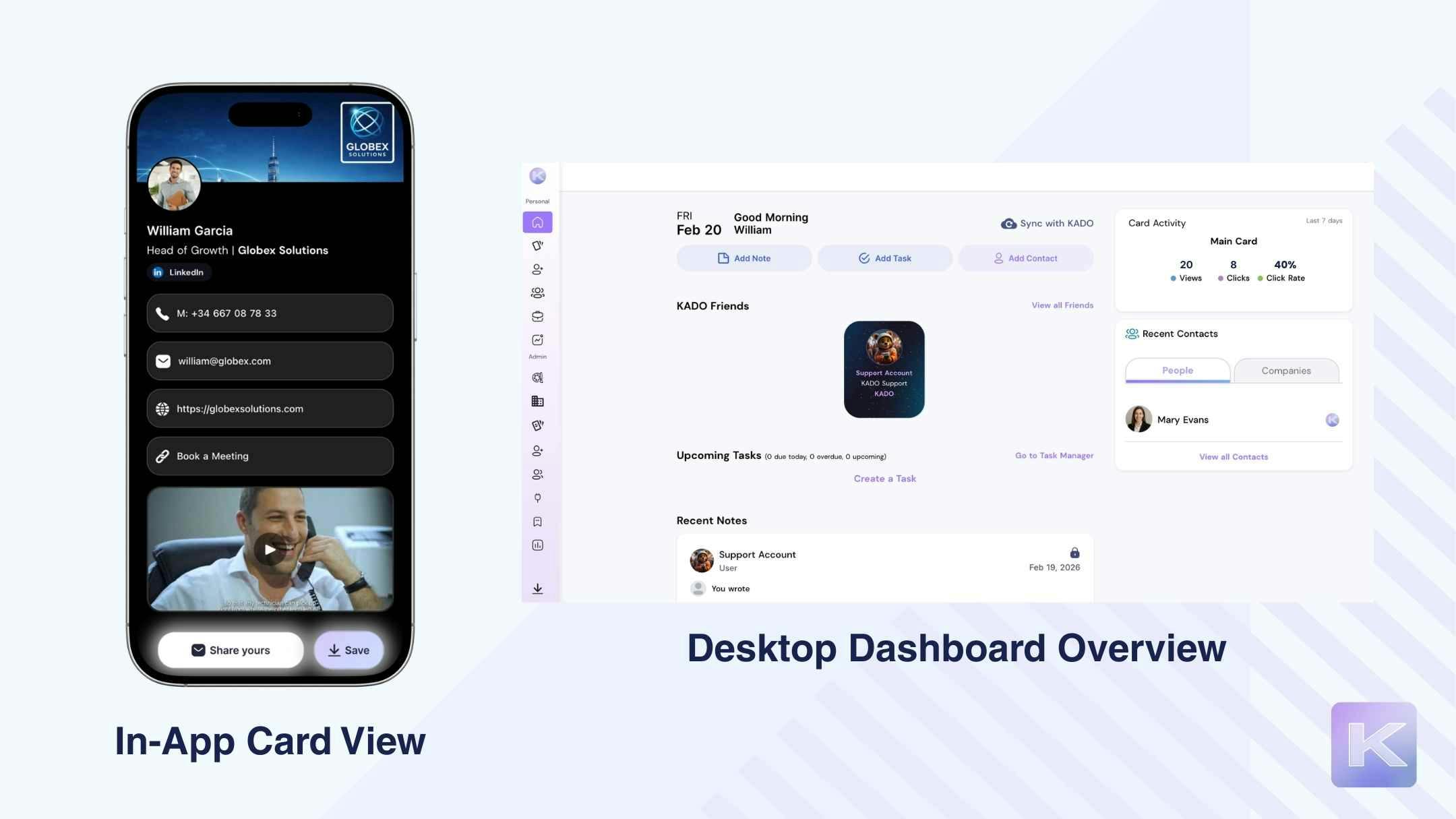
On the branding side, we get real control: custom colors, gradients, logos, personalized links, cover images, and even animated backgrounds on web, plus direct video embedding. It doesn’t feel like a static card — it feels like a digital identity.
Sharing is flexible and reliable with online and offline QR codes, via urls, SMS, Wallet support, widgets, email signatures, and NFC scanning.
Lead capture is built as a two-way exchange. When someone scans the card, they fill in a quick form, and we receive an instant notification. The AI scanner also captures paper cards, badges, and QR codes directly into the system.
After the exchange, we can add notes, tags, and tasks, track views and clicks, and use analytics to guide follow-up.
For teams, we genuinely think it works extremely well. Role permissions, brand controls, and centralized visibility make it feel organized and scalable — not chaotic as the team grows.
| Strengths | Limitations based on criteria |
|---|---|
✅ Most affordable premium subscription price ($4/month) | ❌ Multiple cards per user require upgrading. |
✅ In-app mobile analytics (views, clicks, CTR) + deeper desktop dashboard insights. | ❌ Advanced CRM integrations and deeper automation require paid plans. |
✅ Strong card design flexibility (logos, gradients, cover images, animated covers on web, tagline support). | ❌ Advanced functionalities could have a learning curve for beginners. |
✅ Direct video embedding on cards (no upgrade required just to display video). | ❌ No payment integrations on card yet such as Venmo |
✅ Strong sharing options (QR, links, messaging apps, Wallet support, widget, NFC Scanning) | |
✅ Easy and effective lead capture, including AI scanning for paper cards and badges | |
✅ Built-in tasks, notes, and tags. | |
✅ Guided onboarding + in-dashboard tutorials. | |
✅ Automatic logo detection based on company email |
Pricing overview
KADO offers a free plan with core functionality. Paid plans unlock multiple cards, advanced integrations, analytics, and team features.
- Free version: Available
- Networker: $2.50/month per person
- Business Developer: $4/month per person
- Enterprise: Request demo
Both paid plans work for individuals and teams, with pricing scaling based on feature depth and organizational needs.
Best-fit use cases
KADO works well for individual professionals who want speed, clarity, and built-in follow-up tools — but it especially stands out for sales professionals, teams, and enterprise who need more than just sharing. Because it connects card sharing with contact memory, analytics, tasks, and integrations, it fits users who care about what happens after the exchange — not just the exchange itself. For growing teams and enterprise environments, its governance, compliance, and relationship visibility features make it scalable without adding operational chaos.
Popl
Experience overview
When we tested Popl, the first thing we noticed was how smooth the setup feels. In about three minutes, we had a usable card live — basic contact info, profile photo, done. The onboarding is guided at the start, and right after signup Popl pushes you to share immediately, which we actually liked. It makes the next step obvious. That said, once you’re inside the app, there’s no real walkthrough. We had to explore on our own, though the AI chatbot helped when we had questions.
Editing the card is simple and accessible. In-app branding is basic, while more detailed color control lives on desktop. The link ecosystem is broad — social, business, payments, content — but video embedding requires upgrading.
Sharing options are strong: online/offline QR, Wallet, links, social apps. Lead capture works reliably through forms and AI scanning. Contacts are easy to find, but deeper follow-up tools and analytics are limited and mostly desktop-based. Team governance features exist on paid plans, and overall performance is reliable, though analytics are limited and desktop-focused.
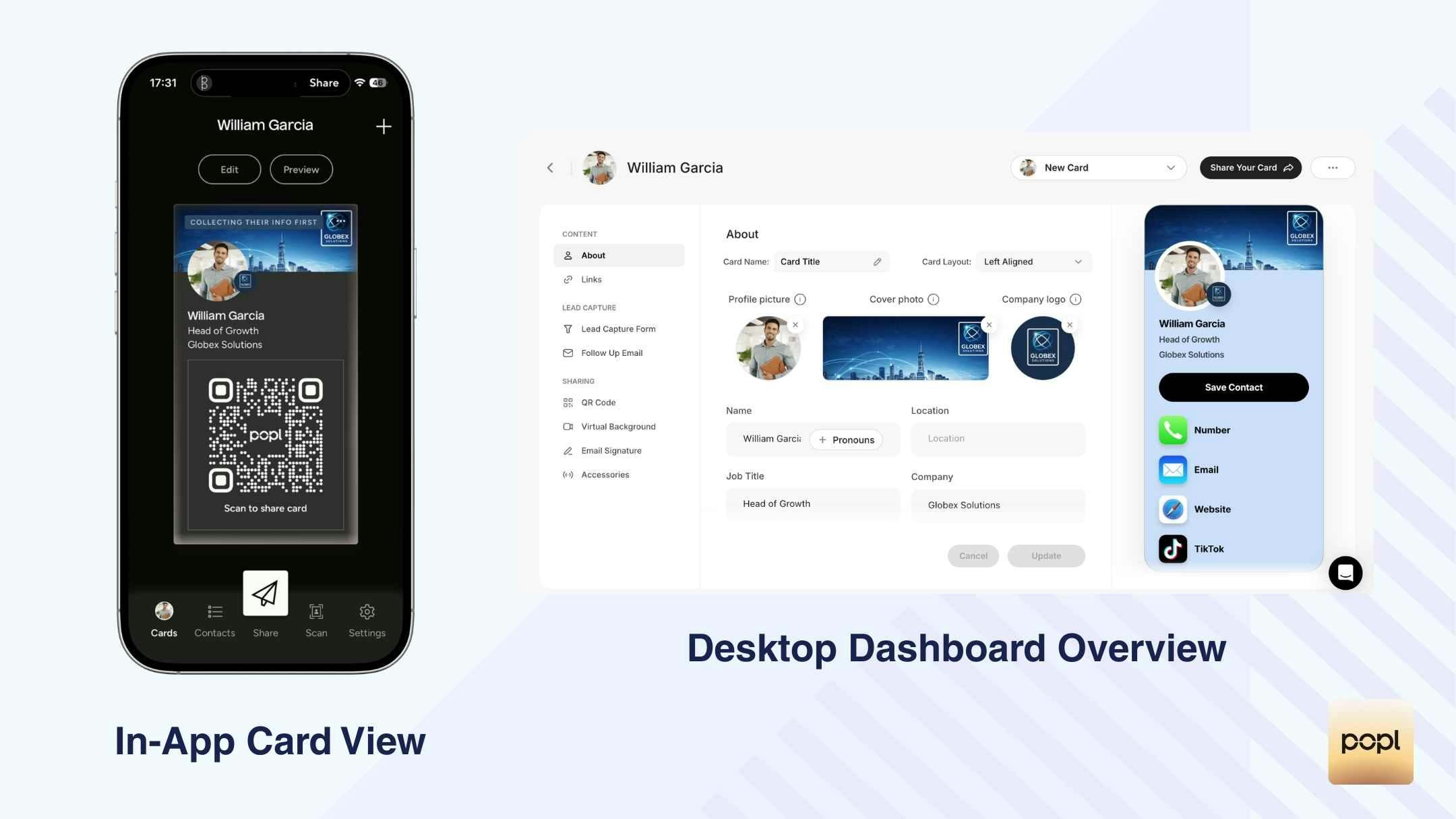
| Strengths | Limitations based on criteria |
|---|---|
✅ Flexible link ecosystem covering social, business, payments, content, and niche use cases (e.g. real estate). | ❌ If you upgrade your plan, monthly costs reach $14.99. This is almost triple the charge for many of the other apps. |
✅ Strong sharing options (QR, links, messaging apps, Wallet support) | ❌ Advanced branding and color control require desktop access. |
✅ AI scanner for paper cards, badges, and QR codes available. | ❌ Video embedding, tags, exports, and AI follow-ups are available for paid plans. |
✅ Clear and well-defined team roles and governance on paid plans. | ❌ No tasks or reminders for follow-up. |
✅ Good overall performance, with no QR failures observed. | ❌ Analytics are desktop-only and fairly basic, with no in-app analytics view. |
✅ Strong CRM integrations. | ❌ Limited post-onboarding guidance, which can leave new users unsure of next steps. |
Pricing overview
Popl offers a free plan with core functionality. Paid plans unlock more cards per user and advanced features:
- Pro: $2.99/month (up to 3 cards)
- Pro+: $14.99/month (up to 5 cards, AI enrichment, deeper exports and controls)
Best-fit use cases
Popl works best for individual professionals, event attendees, and field networking where fast setup, easy sharing, and quick lead capture matter most. It’s also a solid option for teams, as long as you’re on a paid plan.
Blinq
Experience overview
When we tested Blinq, the first thing we noticed was speed. We had a usable card ready in about two minutes, and the automatic logo detection based on our company email genuinely saved time. Setup feels clean and straightforward.
Customization, however, is limited on the free plan. We can adjust button colors, but the overall design stays fairly fixed — no animated backgrounds or deeper layout control. It looks clean, but not highly flexible.
Sharing options are broad: online/offline QR codes, Wallet support, NFC, widgets, and social sharing. Some flows, like WhatsApp sharing, feel slightly clunky compared to others.
Lead capture works through AI scanning (paper cards and badges) and manual forms, though QR scanning didn’t work consistently during testing. Contact management is simple — notes and tags are available — but there are no analytics, activity signals, or automated follow-ups.
Overall, we see Blinq as better suited for individual use rather than structured team workflows.
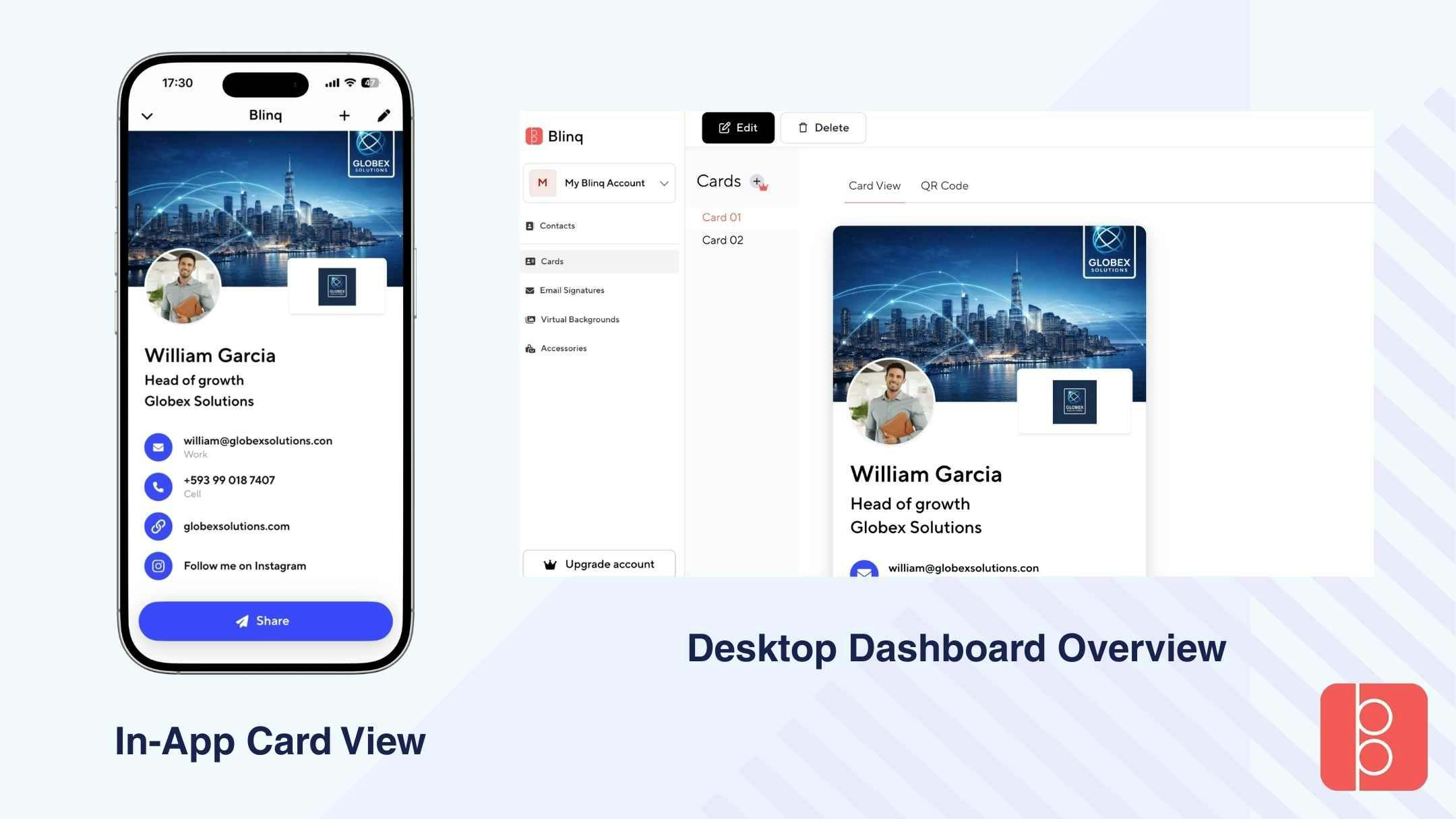
| Strengths | Limitations based on criteria |
|---|---|
✅ Automatic logo detection based on company email. | ❌ No analytics or activity signals (no views, clicks, CTR, or insights). |
✅ Online and offline QR codes. | ❌ Team setup is complex and desktop-dependent. |
✅ User friendly app. | ❌ Branding customization is limited on free plan (background cannot be changed). |
✅ AI scanner for paper cards and badges (works well for both). | ❌ AI scanner failed to scan QR codes. |
✅ Notes and tags available on free plan. | ❌ No video embedding (even on paid plans). |
✅ “Where we met” feature adds helpful context. | ❌ No in-app notifications for new leads (email only). |
✅ Custom NFC business cards available | ❌ No automated follow-ups or tasks. |
❌ WhatsApp sharing flow is not seamless. |
Pricing overview
Blinq offers a free plan with basic functionality. Paid plans unlock additional branding options, more cards per user, and team capabilities.
- Free version: Available
- Premium (Individual): $9.99/month or $88.68/year
- Teams: $4.99/month per card (billed annually)
- Minimum of 5 cards required
- Starts at $300/year
Team features require upgrading and are primarily managed via desktop
Best-fit use cases
Blinq works best for individual professionals who want quick setup and simple sharing without needing analytics or advanced follow-up tools. It’s suitable for light networking scenarios where the primary goal is exchanging contact details rather than tracking engagement or managing long-term relationship workflows. We would not recommend it for teams, especially those that need centralized management, advanced analytics, structured follow-up, or scalable governance.
HiHello
Experience Overview
When we tested HiHello, the onboarding felt smooth and very guided. In about three minutes, we had a working card. The step-by-step setup makes it hard to get lost, especially for first-time users. That said, once inside the app, you’re mostly on your own.
The card design is structured into clear sections (Display, Information, Fields). The free version offers one main layout, but we can personalize colors, add logos, badges, profile pictures, and a wide range of links — from social platforms to conferencing tools and payment apps. Video links are supported, but full flexibility requires upgrading.
Sharing is practical: online/offline QR codes, Wallet integration, widgets, lockscreen access, and email signatures (set up on desktop). Lead capture is fast and frictionless, requiring minimal info from the other person.
Contacts are easy to manage, with notes included. However, deeper analytics and team features are mainly available on paid plans and desktop.
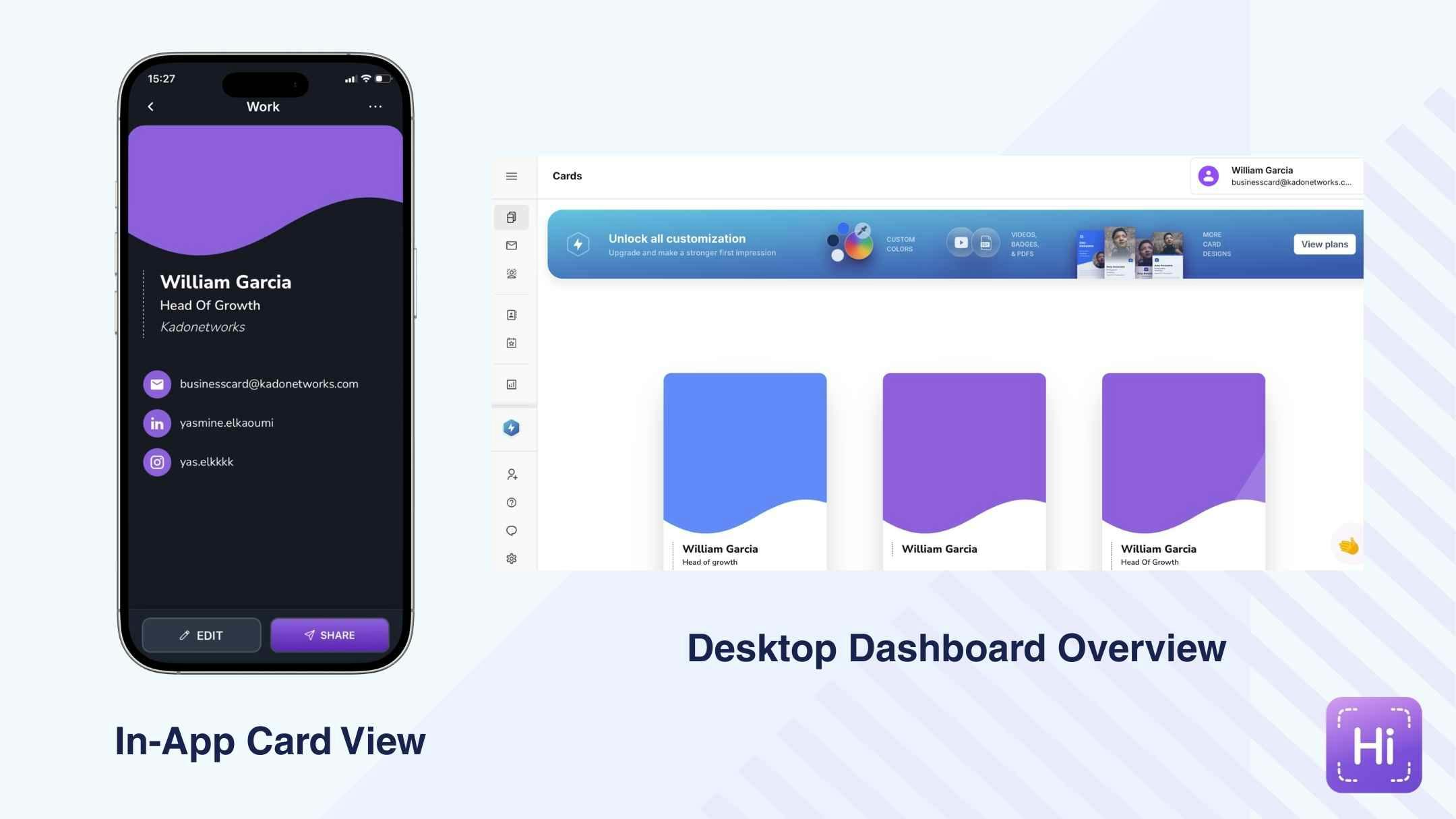
| Strengths | Limitations based on criteria |
|---|---|
✅ Wallet, widget, and lockscreen quick-connect options. | ❌ Free plan design is basic and limited to one main layout. |
✅ Wide variety of link types (social, conferencing, payments, music, gaming). | ❌ Limited design features: video embedding requires upgrading. |
✅ Easy and fast lead capture process. | ❌ No reminders or task management. |
✅ Contact note-taking available on free plan. | ❌ Analytics only accessible via desktop and are relatively basic. |
✅ Add geolocation to record where you met contacts. | ❌ No advanced contact activity tracking (CTR, recent views breakdown). |
❌ Team setup not clearly introduced during onboarding. |
Pricing overview
HiHello offers a free plan with core functionality. Paid plans unlock advanced design features, analytics, CRM integrations, and team management capabilities.
- Free: Basic card features
- Pro: $6/month
- Team: $5/month per user
- Enterprise: Custom pricing
Team and Enterprise plans include additional branding controls, analytics, and centralized management features.
Best-fit use cases
HiHello works well for individual professionals who want a guided experience and flexible sharing options. It can also suit small teams that prioritize brand consistency and template management. However, for users who need advanced analytics, automated follow-ups, or deep sales performance tracking, the feature depth may feel limited.
Wave
Experience Overview
When we tested Wave, setup was fast — we had a usable card in about two minutes. Login with email or SSO is simple, and the app guides you through editing your profile and sharing. Still, the onboarding feels slightly overwhelming at first, with many sections presented at once.
Card creation is surprisingly feature-rich, even on the free plan. We could add a bio, embed videos and images, include maps, social links, and build a structured lead form. Design customization (fonts, layout, branding removal) requires upgrading, and previewing the full card wasn’t always seamless.
Sharing covers online/offline QR codes, SMS, email, Wallet, and lockscreen access — but no widget or NFC scan. Lead capture includes badge and business card scanning plus optional automated follow-up emails or SMS.
Contact management is clean and practical, with tags, notes, filtering, and CSV export. Team features exist, but they’re mainly accessible via desktop upgrade.
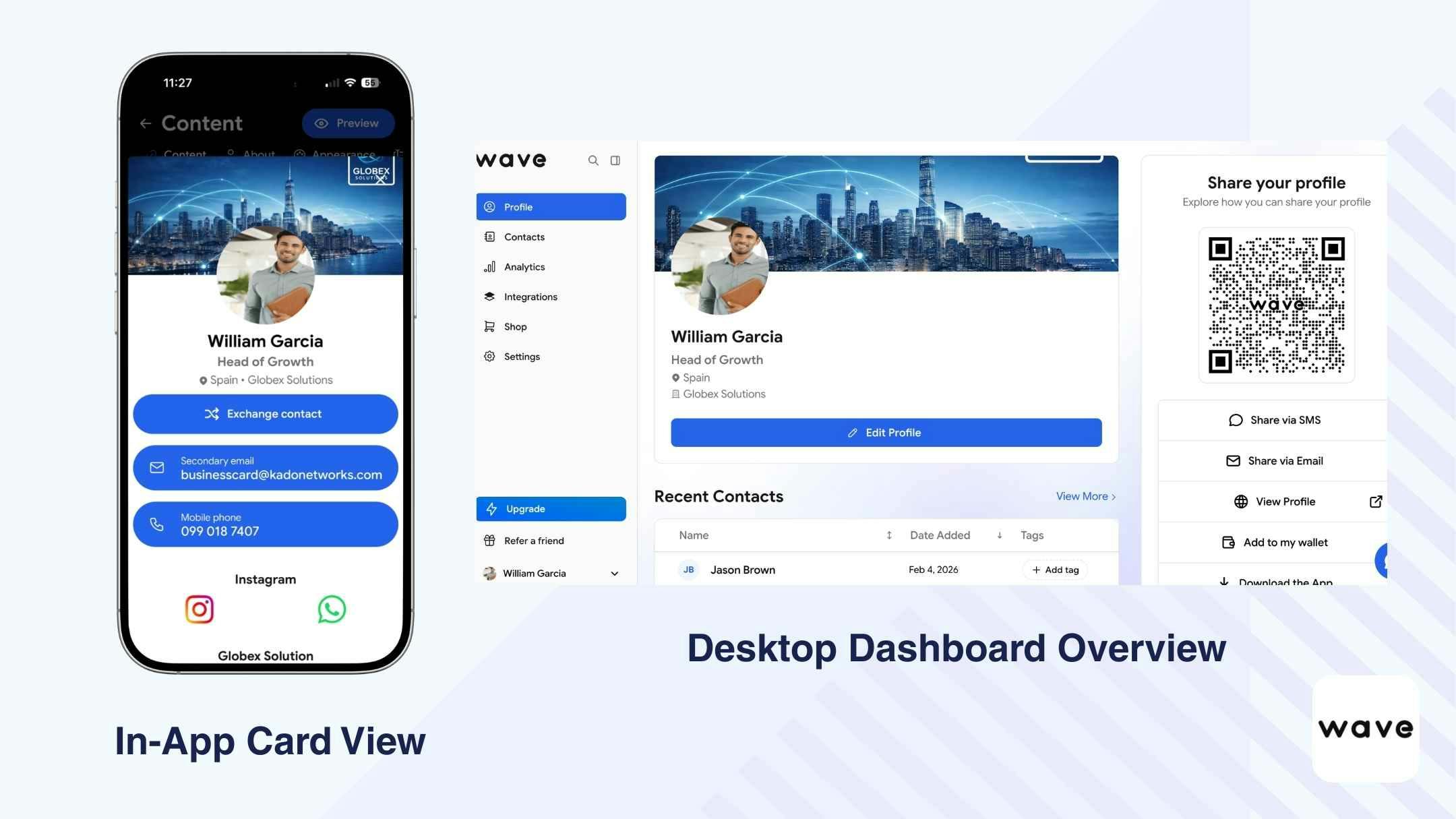
| Strengths | Limitations based on criteria |
|---|---|
✅ Video embedding available. | ❌ Team setup not visible in app; desktop-only upgrade. |
✅ In-app analytics (views, clicks, CTR, category breakdown). | ❌ Free plan branding customization is limited. |
✅ Tags, notes, and contact filtering available. | ❌ No widget option. |
✅ Strong CRM integrations on paid plans. | ❌ No NFC scanning. |
✅ Structured team roles and template locking (Teams/Enterprise). | ❌ No reminder or task functionality. |
✅ Automated follow-up email/SMS available. | ❌ Card preview may not display full content. |
Pricing overview
Wave offers a free plan with core functionality. Paid plans unlock advanced branding controls, CRM integrations, automation features, and team management tools.
- Pro (Individual): $9/month or $84/year
- Teams: $5/user/month
- Minimum of 3 seats required
Team and Enterprise features include admin roles, template locking, centralized analytics, and expanded integrations.
Best-fit use cases
Wave works well for individual professionals who want strong content flexibility, embedded media, and basic analytics in-app. It can also support teams on paid plans, particularly those prioritizing structured role management and template locking. However, users needing high scanner accuracy, seamless team onboarding, or advanced workflow automation may find limitations.
Mobilo
Experience Overview
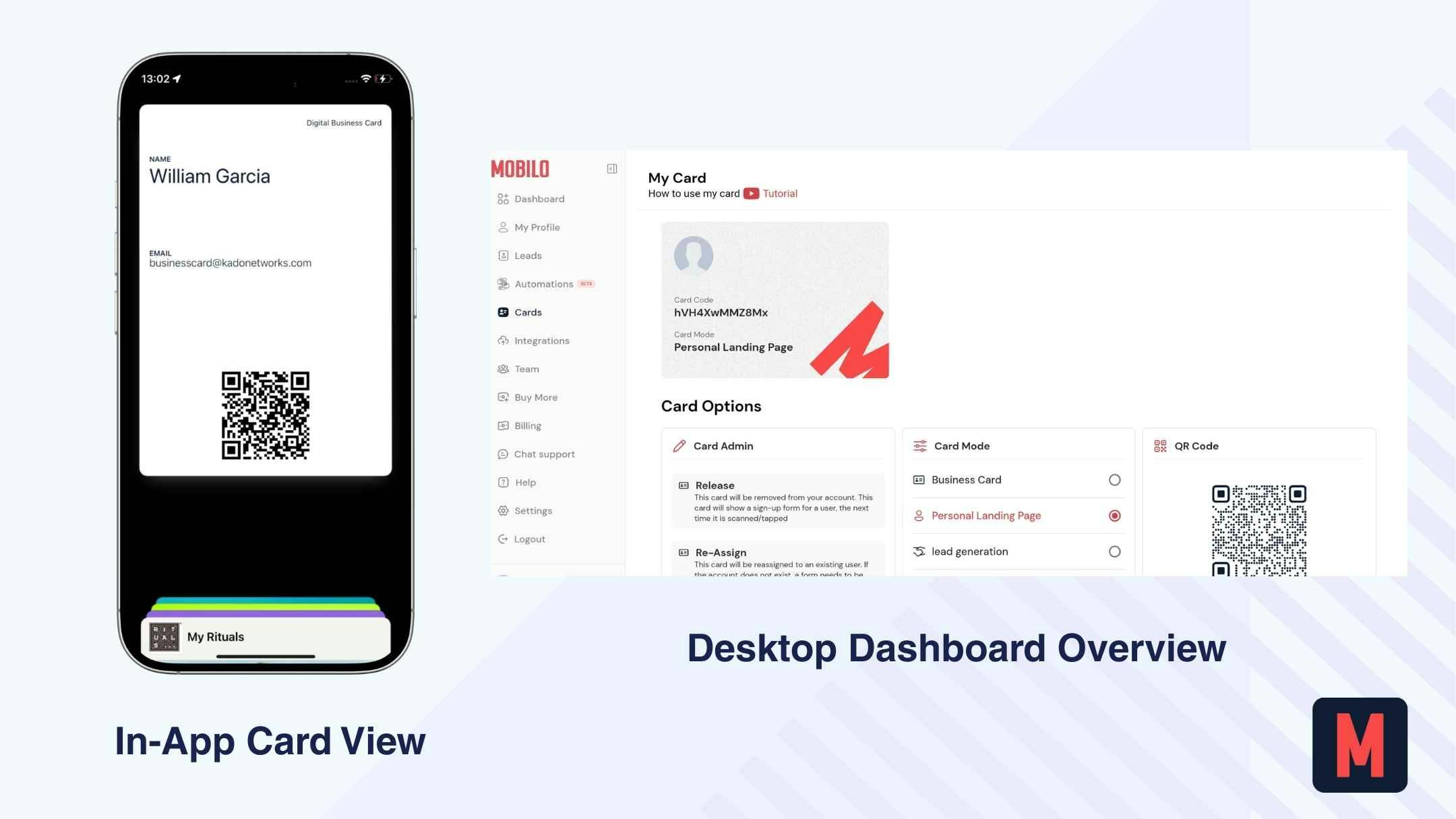
When we tested Mobilo, the onboarding immediately felt different from the others. There’s no free plan, and we had to enter credit card details upfront (free trial, then paid), which adds friction from the start. Setup took us around 15 minutes, noticeably longer than the other tools. The website felt slow during testing, and we weren’t able to get the mobile app working properly — which raised concerns for a networking tool meant to be used on the go.
The digital card itself is very minimal: basic sections like About, Social, Messaging, and Calendly. It supports multiple profiles, which is useful for different roles or events.
Sharing is built around NFC-enabled physical cards and dynamic (online-only) QR codes. Lead capture includes optional forms and AI business card scanning, with CRM integrations available on higher plans.
Overall, we see Mobilo as more hardware-focused, with CRM connectivity layered on top.
| Strengths | Limitations based on criteria |
|---|---|
✅ NFC-enabled physical cards. | ❌ No free plan; credit card required upfront. |
✅ HR integration support (sync feature in development). | ❌ QR codes are dynamic only (no offline static QR). |
✅ Apple and Google Wallet support | ❌ No built-in automated follow-up engine. |
✅ Brand controls and role-based team management | ❌ No task/reminder system. |
✅ Native CRM integrations | ❌ Analytics are basic and aggregate-level only. |
❌ Not designed as a full relationship management platform. |
Pricing overview
Mobilo does not offer a permanent free plan but includes a free trial period. Paid plans unlock CRM integrations, team controls, and advanced management features.
- Pro Plan: $3/month
- Teams Plan: $4/month per user
- Business Plan: $5/month per user
Higher-tier plans include brand controls, native CRM integrations, and centralized team administration.
Best-fit use cases
Mobilo is best suited for companies prioritizing NFC hardware distribution and CRM syncing, particularly in field sales or enterprise environments. It is less ideal for individuals seeking fast setup, mobile flexibility, or built-in follow-up workflows.
The Right Choice Depends on Your Use Case
There is no single best digital business card for everyone. What matters depends entirely on how and why you’re networking. This is why one-size-fits-all rankings don’t work.
Below is a simple breakdown of how priorities shift by use case.
| Use case | What matters most | What matters less |
|---|---|---|
Solo professionals & freelancers | Fast setup, clean design, easy sharing, basic contact capture, simple follow-up | Advanced team controls, complex integrations, enterprise compliance |
Sales, business development & recruiters | Two-way contact capture, activity signals (views/clicks), CRM integrations, follow-up workflows | Purely static cards, one-way sharing |
Teams & organizations | Admin visibility, brand consistency, user management, shared analytics, integrations | Individual design freedom, Manual data entry, standalone usage |
Enterprise | Security, privacy & compliance (GDPR, SOC 2), governance, lifecycle management, scalable integrations, consistent branding, environmental awareness. | Manual processes, lightweight tools |
Conclusion: Which tool should you use?
We genuinely prefer KADO based on our testing — especially for how it connects sharing, capture, and follow-up in one system. But your decision should depend on your specific use case.
There is no single “best digital business card.”
There is only the tool that fits your workflow, goals, and context.
The right choice depends on how you network, how you follow up, and whether you need something simple — or something that can scale with you as your needs grow.
Why KADO Ends Up Covering More Use Cases
Across setup, branding, sharing, capture, follow-up, integrations, and team governance, many tools primarily focus on card sharing. KADO extends beyond that.
It combines strong branding control, flexible sharing (QR, Wallet, NFC, links), two-way contact capture, AI scanning, built-in notes, tags, tasks, mobile and desktop analytics, CRM integrations, role-based team management, and compliance (GDPR, SOC 2) in one system.
It supports solo professionals who need speed and clarity, while also scaling to teams and enterprise environments without requiring additional tools.
Takeaway: KADO connects sharing, capture, and follow-up within a single workflow — rather than stopping at the card exchange.
👉 You can download KADO for free and test it yourself to see how it fits your workflow.
Frequently Asked Questions
What is the best digital business card?
There is no single “best” digital business card. The right choice depends on your workflow.
A great option in 2026 is KADO, which offers strong customization, seamless sharing, and integrations with tools like Salesforce and HubSpot. It’s well-suited for professionals looking for a flexible and reliable digital business card.
Which digital business card is best for sales?
Sales teams typically need more than just a shareable card. They require:
- Two-way contact capture
- CRM integrations
- Activity tracking
- Role-based permissions
- Centralized visibility
Tools that stop at “contact saved” often create manual follow-up work. Platforms like KADO are structured to support sales workflows more directly.
What is the best business card scanner app?
The best scanner depends on whether you want storage only or full workflow support.
Some apps scan cards but don’t connect to CRM systems or follow-up tools. Others, like KADO, allow you to scan paper cards, badges, and QR codes while storing contacts inside a system that supports notes, tasks, and integrations.
If your goal is long-term relationship management — not just digitization — choose a scanner that connects to your broader workflow.