Go back to list of posts
The Role of Data Sync in Contact Management
Last modified: July 27, 2026


Data synchronization is the continuous, automatic process that keeps contact records consistent and accurate across every system your team touches. Without it, your CRM says one thing, your marketing platform says another, and your support desk is working from last quarter’s data. The role of data sync in contact management is straightforward: it creates a single, reliable source of truth so every team member, regardless of which tool they open, sees the same up-to-date picture of every contact.
Why data sync is the foundation of modern contact management
Effective contact database management depends on one thing above all else: trust in the data. When a contact’s phone number changes in your CRM but stays stale in your email platform, outreach breaks down. When a lead’s status updates in sales but marketing never receives the signal, nurture sequences keep firing at the wrong people. Real-time data synchronization solves this by propagating updates across connected systems within seconds, eliminating the manual entry and conflicting records that quietly erode database quality.
The core benefits of data sync in contact management include:
- Single source of truth: Every connected system reflects the same contact record, eliminating version conflicts between sales, marketing, and support.
- Reduced duplicate records: Automated matching logic catches overlapping entries before they multiply across platforms.
- Eliminated manual entry: Changes made in one system flow automatically to all others, freeing teams from copy-paste reconciliation.
- Improved interdepartmental coordination: Sales sees marketing engagement scores; marketing sees deal stages. Both teams act on the same facts.
- Real-time accuracy: Contact details, lifecycle stages, and ownership assignments stay current without scheduled imports or manual exports.
What data synchronization actually means for your contact data
Data synchronization, in the context of contact management, is the process of keeping records consistent across multiple systems through continuous, automatic updates. It is not a one-time import or a nightly batch job. It is an ongoing dialogue between platforms, governed by rules that define what moves, when it moves, and which system wins when two versions conflict.
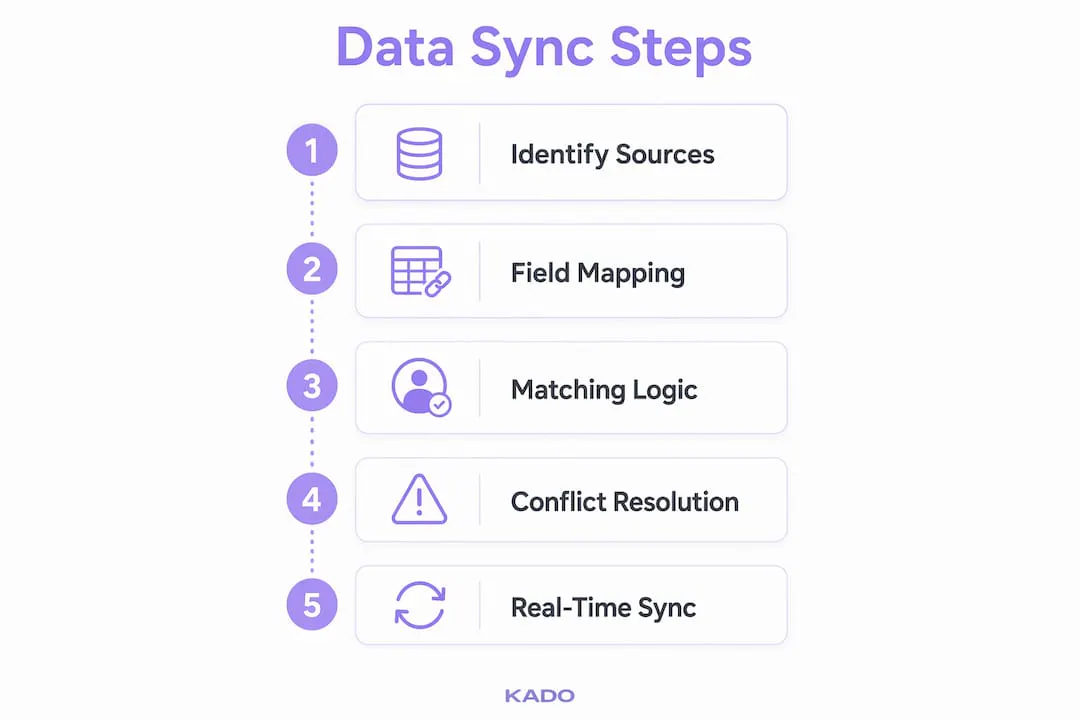
Four components drive every sync setup:
Data sources are the platforms where contact information originates, such as a CRM like Salesforce, a marketing automation tool like HubSpot, or a help desk. Field mapping creates the translation layer between systems, connecting “Company Name” in one platform to “Account Name” in another. Sync rules define the logic: which records sync, under what conditions, and in which direction. Triggers are the events that start the process, whether a new record is created, a field is updated, or a deal stage changes.
Data hygiene depends heavily on how well these components are configured. Poorly mapped fields corrupt data silently. Vague sync rules create conflicts that no one notices until a sales rep calls a contact with the wrong title or a marketing campaign fires at a closed customer.
Pro Tip: Before configuring any sync, audit your field naming conventions across every platform. Mismatched field names are the single most common cause of data loss during initial setup.
How syncing a contact record actually works, step by step
Understanding the mechanics helps you configure sync correctly and troubleshoot it when something goes wrong. A contact sync moves through six distinct stages, each one protecting data integrity before the next begins.
- Trigger detection: The sync engine detects a create, update, or delete event in a source system. Without this step, silent divergence occurs and systems drift permanently out of sync.
- Field normalization: Raw data is mapped into a unified schema. Mismatched formats, like phone numbers stored as “(555) 123-4567” in one system and “5551234567” in another, are standardized before processing continues.
- Record matching: The engine identifies whether the incoming record already exists in the destination system. This is where matching logic matters most.
- Conflict resolution: When two systems hold different values for the same field, a rule determines which version wins.
- Update propagation: Validated changes are pushed to all connected downstream systems.
- Audit logging: Every sync event is recorded with a timestamp, source, and outcome, creating a traceable history for compliance and troubleshooting.
Matching logic: deterministic vs. fuzzy
Simple email matching catches obvious duplicates, but it misses records where the email differs by a typo or where a contact has multiple addresses. Advanced matching techniques combine deterministic logic (exact field matches on email, phone, or company domain) with fuzzy algorithms that score partial matches by name similarity or address proximity. This prevents duplicate creation and incorrect merges without requiring manual cleanup after every import.
Conflict resolution strategies
| Resolution method | How it works | Best for |
|---|---|---|
Timestamp precedence | Most recent update wins | Fast-moving sales environments |
Field-level authority | Each system owns specific fields | Complex multi-platform stacks |
Manual review trigger | Conflicts flagged for human decision | High-stakes or regulated data |
Audit trail maintenance | All changes logged regardless of outcome | Compliance-driven organizations |
Bidirectional sync reduces latency to near-zero by reflecting updates instantaneously in both directions, which is critical when sales and marketing teams are editing the same records simultaneously.
Pro Tip: Use field-level authority rules rather than a blanket “last write wins” policy. Assign your CRM ownership of account and deal data, and let your marketing platform own engagement scores and campaign membership. This prevents a stale automated update from overwriting a rep’s manually verified phone number.
What your team actually gains from well-synced contact data
The data sync benefits that matter most to revenue teams are not technical. They are operational and relational.
A unified 360-degree customer view means marketing stops nurturing leads that sales has already qualified or disqualified. Support sees the full purchase history before picking up the phone. Leadership pulls dashboards that reflect the same numbers whether they are looking at the CRM or the marketing platform. That alignment is what turns contact data from a record-keeping exercise into a genuine competitive advantage.
Here is what well-configured contact data synchronization delivers in practice:
- Accurate reporting: When lead, contact, and opportunity data align perfectly across systems, revenue attribution becomes reliable. Leadership can forecast and budget from a single dashboard rather than reconciling conflicting exports.
- Faster sales cycles: The moment a lead’s score meets the MQL threshold, the record syncs to the CRM and the assigned rep receives a real-time notification with the contact’s full engagement history. The rep calls while the prospect is still actively evaluating.
- Better personalization: Marketing can build dynamic segments based on CRM data like contract renewal dates or product adoption milestones, not just email opens.
- Reduced errors: Automating updates removes the manual copy-paste step that introduces typos, wrong field entries, and missed records.
- Compliance confidence: When every data change is logged and access is controlled by permission rules, audit requests become manageable rather than chaotic.
The importance of data synchronization extends beyond clean records. It is what makes cross-platform automation possible. A workflow that triggers a sales sequence when a lead reaches a certain score only works reliably when the score in the marketing tool and the status in the CRM stay in agreement.
Best practices that keep your contact sync reliable over time
Getting sync running is the easy part. Keeping it accurate as your team grows, your tech stack evolves, and your data volumes increase requires deliberate governance.
- Designate a clear system of record: For every critical data point, one platform must be the final authority. Without defined sync rules and clear ownership, conflicting updates degrade database quality and create confusion across operational teams.
- Set precise triggers: Real-time sync should be reserved for mission-critical events like new MQL creation or unsubscribe requests. Scheduled batch sync works fine for large-volume, lower-priority updates like weekly reporting exports.
- Implement conflict resolution rules upfront: Decide before go-live whether timestamp precedence or field-level authority governs each data type. Retrofitting these rules after conflicts have already corrupted records is painful.
- Run deduplication before and after major syncs: Merging two systems without a deduplication pass first multiplies existing duplicates across both platforms.
- Maintain audit logs: Every sync event should be recorded. Logs are your first line of defense when a contact’s data changes unexpectedly and someone needs to trace what happened.
- Address security and compliance from day one: GDPR and SOC 2 compliance requires granular permission controls and audit trails built into sync protocols, not added as an afterthought. Automated sync demands strict access controls to protect sensitive contact information.
- Monitor for silent data drift: One-way syncs miss incremental updates, causing gradual divergence that erodes trust in the contact database. Event-based sync approaches prevent this data decay by tracking state changes rather than relying on periodic bulk imports.
Pro Tip: Schedule a quarterly sync audit. Pull a representative sample of records and compare field values across every connected system. Silent drift rarely announces itself, but a manual spot-check catches it before it spreads.
How KADO supports accurate, real-time contact data synchronization
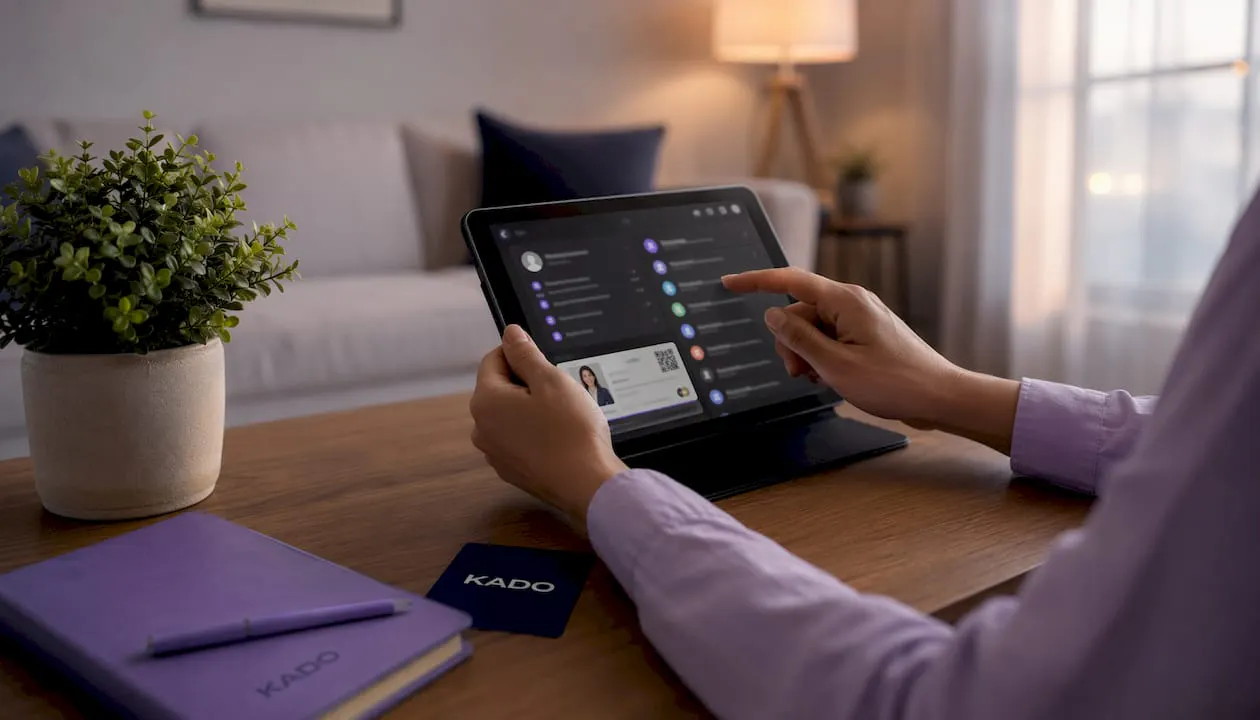
KADO approaches contact data synchronization from the point where most contact records actually begin: the moment two professionals exchange information. A digital business card shared via QR code, NFC tap, or direct link captures contact data instantly and accurately, without the transcription errors that come with paper cards or manual entry. That captured data flows directly into KADO’s contact management platform, where it is organized, tagged, and ready to sync.
What makes KADO’s sync model practical for teams is its direct integration with the CRMs and business tools professionals already use:
- Salesforce, HubSpot, and Microsoft Dynamics: Contacts captured through KADO sync automatically to these platforms, eliminating the manual import step that typically delays lead follow-up.
- Outlook and Google Contacts: KADO keeps contact records current across email clients, so a rep’s address book reflects the same data as the CRM.
- Zapier: Custom sync workflows connect KADO to hundreds of additional tools without requiring engineering resources.
Real-time updates mean that when a team member updates their job title or phone number in KADO, every connected system reflects the change immediately. No reprints. No manual corrections across five platforms. The networking and CRM integration that KADO enables is particularly valuable for sales teams and event-focused professionals who capture dozens of contacts in a single day and need those records to appear in the CRM before the follow-up window closes.
KADO also supports granular admin controls, letting organizations define which team members can edit which fields, and maintains compliance with data privacy standards relevant to enterprise deployments. For teams that need to understand the full workflow for managing digital contacts, KADO provides a structured path from first exchange to organized, synced, and followed-up contact record.
Networking is also a core driver of marketing growth, and keeping contact data synchronized across tools is what allows networking to translate into pipeline rather than a pile of disconnected names.
Key Takeaways
Consistent, accurate contact data across systems is the direct result of well-configured data synchronization, and it is what separates teams that close deals from teams that chase stale records.
| Point | Details |
|---|---|
Single source of truth | Designate one system as the authority for each data type to prevent conflicting updates. |
Bidirectional sync reduces latency | Two-way sync reflects changes in both systems within seconds, keeping sales and marketing aligned. |
Matching logic prevents duplicates | Combining deterministic and fuzzy algorithms catches overlapping records that email-only matching misses. |
Silent drift requires active monitoring | Event-based sync and quarterly audits catch gradual divergence before it corrupts the full database. |
Security and compliance are built in | GDPR and SOC 2 adherence requires audit logs and granular permissions configured from the start, not retrofitted later. |